
Let’s be honest. One of the least exciting parts of learning design is inheriting old training content and decks that nobody wants to touch.
Maybe it is 80 slides. Maybe it is 100. Maybe the content is still useful, but the experience feels dated, overloaded, and harder to fix than it should be. The visuals are tired. The text is dense. The flow reflects how someone used to present the material live five years ago, not how people learn best now.
And that is usually the real problem.
It is not that the training has no value. It is that refreshing it manually can take so much effort that the work starts to feel bigger than the payoff. That is where an AI tool like Gamma can help.
Of course, Gamma is not a replacement for instructional design practices. It is a faster way to take legacy content, restructure it, modernize the presentation, and create a stronger draft to work from. For learning teams sitting on old PowerPoints, PDFs, and internal decks, that can be a very useful shift.
How do you refresh old training content effectively?
A lot of older training content still lives in PowerPoint. That makes sense. PowerPoint has been the default home for onboarding sessions, workshops, compliance reviews, product walkthroughs, and internal knowledge transfer for years.
But over time, those decks tend to grow in all the wrong ways. They become longer, denser, and harder to maintain. Important ideas get buried. Every update creates another version. And eventually the deck becomes something everyone knows needs a refresh, but nobody is excited to own.
For instructional designers, that creates a familiar tension:
- The content may still be valuable
- The learner experience is no longer strong
- A full redesign would take real time and budget
- Manually cleaning up every slide often feels like low-value production work
This is where Gamma fits well. It gives you a way to turn an old deck into a cleaner, more modern starting point, so you can spend less time rebuilding slides and more time improving the learning experience itself.
Why Gamma is useful for training teams
What makes Gamma helpful is that it sits in the middle ground.
You do not have to leave the old training deck untouched, and you do not have to rebuild the entire thing from a blank file either. You can import what already exists, let Gamma restructure and restyle it, and then step back in as the designer to refine what matters most.
That matters because the higher-value instructional design work is usually not slide cleanup. It is work like:
- Clarifying learning outcomes
- Reducing cognitive overload
- Improving flow and chunking
- Removing unnecessary content
- Deciding what belongs in slides versus narration, activities, or job aids
If a tool can reduce the production drag, that gives the designer more room to focus on clarity, usefulness, and learner impact.
How to modernize an old 100-slide deck with Gamma AI?
Imagine you have a training presentation that still contains good information, but it clearly shows its age. It was built for a live presenter. The wording is too heavy. The visuals are inconsistent. There is too much content on too many slides. Nobody wants to present it as-is, but recreating everything from scratch feels excessive.
That is a strong use case for Gamma.
Instead of manually redesigning slide 1 through slide 100, you can import the existing material, choose how Gamma should treat the content, apply a more current visual direction, and generate a new version much faster.
It is not the finished product on its own. It is a much better first draft.
Step 1: Import the old file
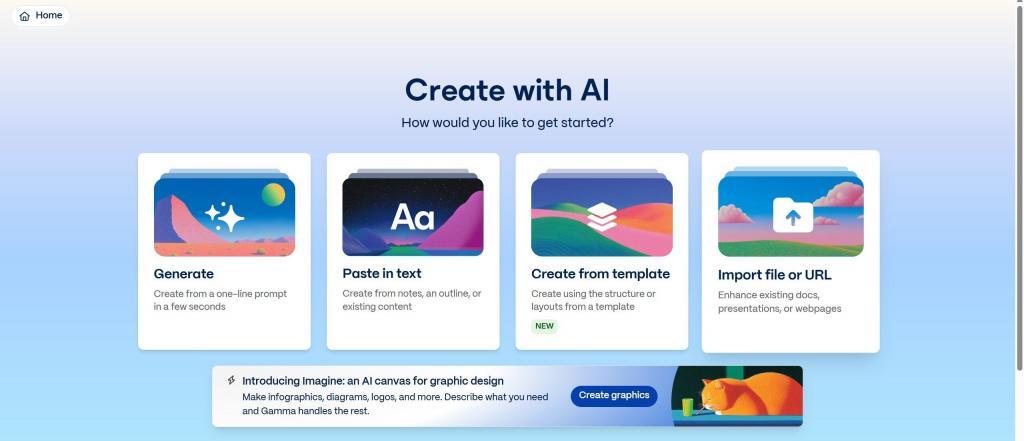
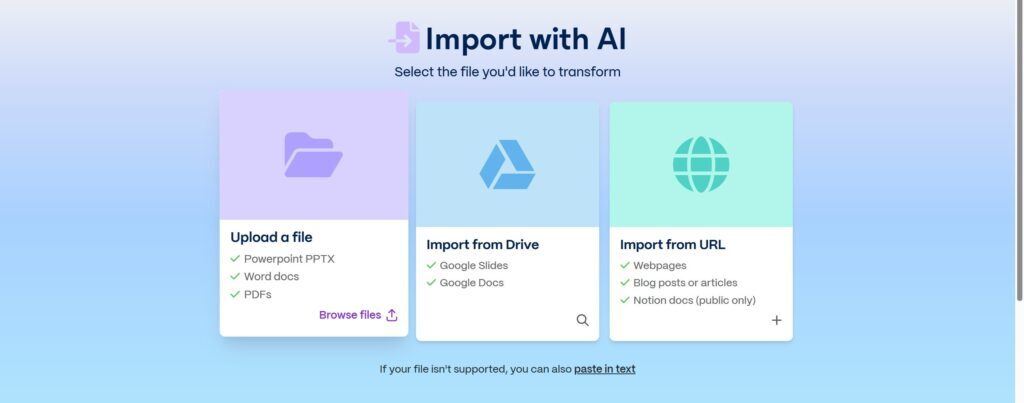
From Gamma, click Create new and choose Import file or URL.
This is the feature that makes the workflow especially useful for instructional designers. You are not starting from a prompt and hoping for the best. You are bringing in existing material that already contains subject matter, structure, and context.
Gamma supports common formats like PowerPoint, PDFs, and documents, which makes it practical for the kinds of legacy assets learning teams usually inherit.
Step 2: Choose how Gamma should handle the content
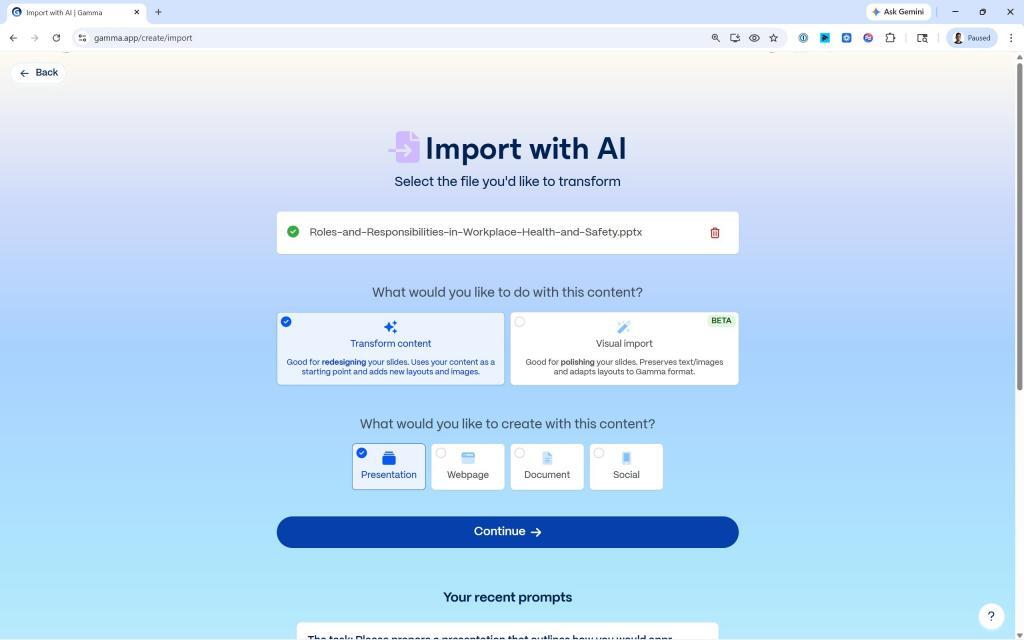
After uploading the file, Gamma gives you different ways to work with it. This is where the tool becomes more than a simple visual refresh.
Transform Content
Choose this when the original deck needs more than a facelift. This is usually the better option when the slides are overcrowded, repetitive, or not structured in a way that supports learning well.
Visual Import
Choose this when the original deck is already fairly solid and you mainly want Gamma to improve the layout and presentation style while preserving more of the original structure.
For older training decks, Transform Content is often the more useful choice because it creates room for actual modernization, not just surface-level cleanup.
Step 3: Review the structure before generating
One helpful part of the Gamma workflow is that it does not force you straight into a final output. You get the chance to review how the imported content is being structured first.
From an instructional design perspective, this matters a lot. Structure is often where old training content breaks down. The content may be accurate, but it is not chunked well, it does not flow cleanly, and it asks learners to process too much at once.
This step gives you a chance to pause and think like a designer again:
- What is essential here?
- What can be trimmed?
- What should be regrouped?
- What probably should not be a slide at all?
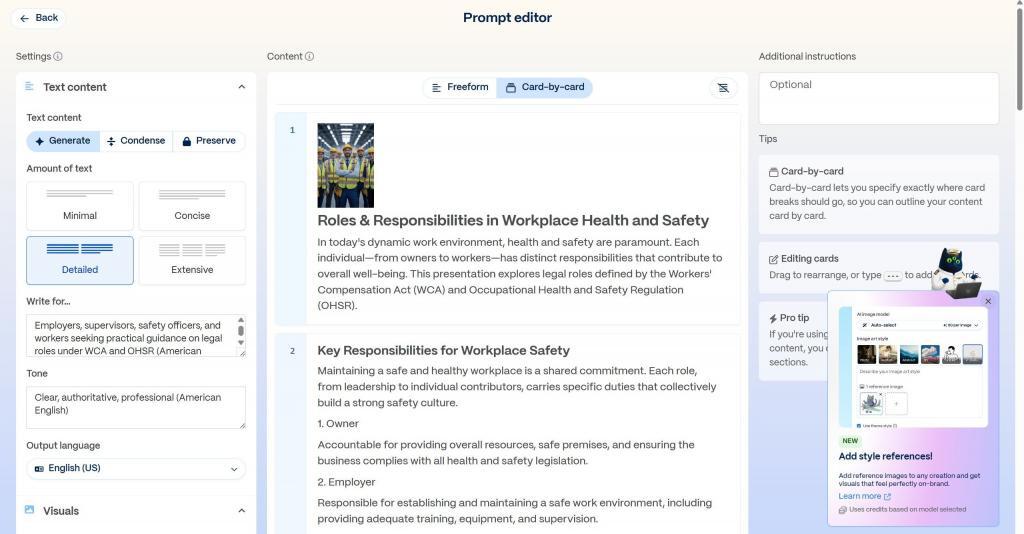
Step 4: Decide whether to preserve or condense the text
Gamma lets you choose how much of the original wording should carry into the generated presentation.
- Preserve keeps more of the original text intact
- Condense tightens the content into something more presentation-friendly
This is not just a formatting decision. It is a learning decision.
Many older training decks say too much on every slide. They were often built around the presenter’s script instead of the learner’s experience. Choosing to condense can help reduce cognitive overload and surface the real message more clearly.
If the wording is sensitive, technical, or tightly regulated, preserve may make more sense. If the content is bloated and hard to scan, condense is usually the better path.
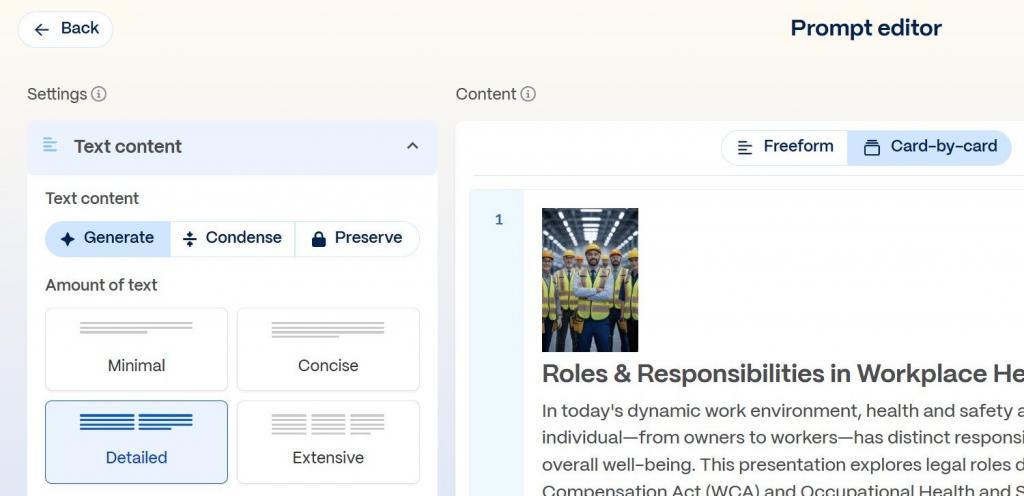
Step 5: Apply a cleaner visual direction
Once the content settings are in place, Gamma lets you choose themes, language, and output style.
This is where the old deck starts to feel less like a forgotten internal file and more like something learners can actually engage with. And that matters more than it might seem. A cleaner visual system can improve hierarchy, readability, and attention. It can also make the content feel more credible and more current.
For learning designers, the goal is not just to make it look nice. The goal is to make it easier to understand.
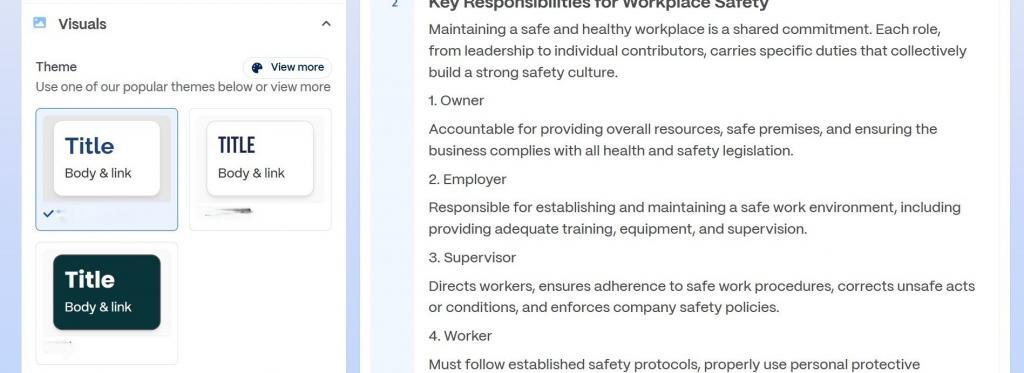
Step 6: Generate supporting visuals if needed
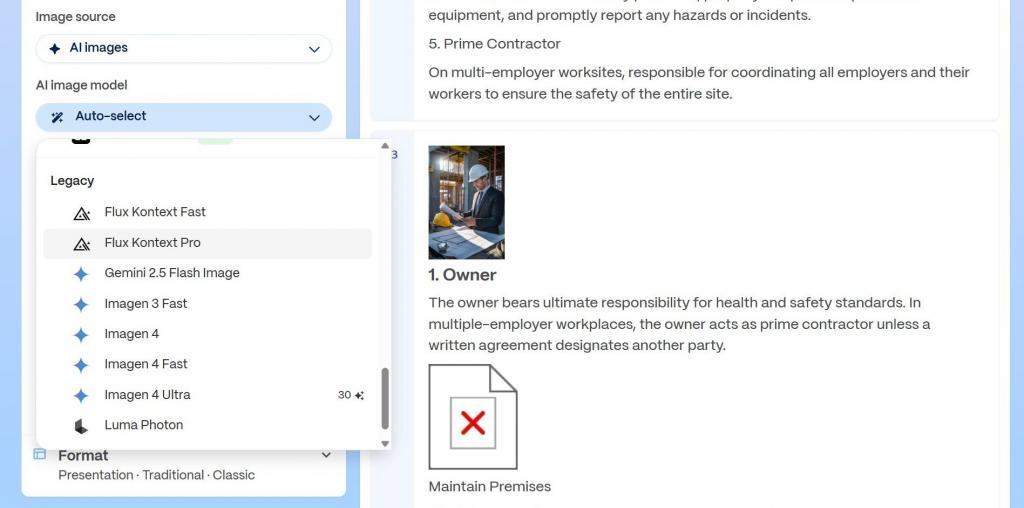
If the original deck is visually weak, Gamma also gives you the option to generate AI visuals and graphics. That can be helpful when older slides are mostly text, rely on generic stock imagery, or have no visual consistency at all.
You can choose models and styles depending on the tone you want. In practice, this can speed up the refresh process and help create a more cohesive draft without sending you off into a separate design workflow right away.
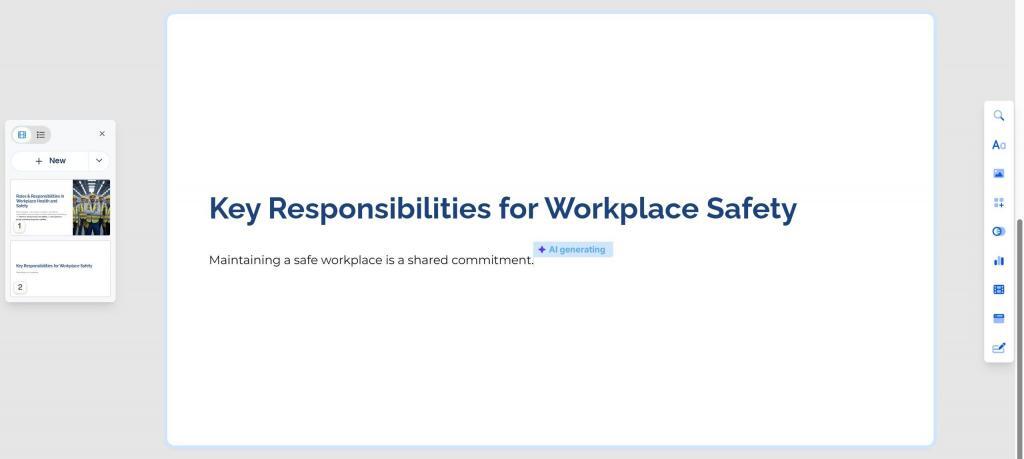
Step 7: Generate the draft, then do the real design work
Once you are ready, Gamma generates the updated presentation. This is the point where you move from legacy content to a cleaner draft that is actually workable.
But this is also where the instructional designer needs to step back in fully.
The generated deck still needs judgment. You still need to look at it through a learning lens:
- Are the learning objectives clear?
- Does the content still support the right outcomes?
- Has anything important been lost or oversimplified?
- Should parts of this become narration, practice, or performance support instead?
- Is the flow helping the learner, or just looking cleaner?
That is the real balance. Gamma can speed up the transformation, but the instructional design work is still what makes the content effective.
What Gamma does well
Gamma is especially useful when the biggest obstacle is the effort required to modernize old material. It helps reduce the tedious part of the process so the learning team can focus on higher-value decisions.
It works especially well for:
- Refreshing old PowerPoint-based training
- Turning PDFs or documents into cleaner presentation drafts
- Modernizing internal enablement and onboarding decks
- Creating a stronger first pass before deeper redesign work
- Reducing the time spent manually restyling slides one by one
What Gamma does not replace
It is worth saying clearly: Gamma does not replace instructional design, but rather supercharges it.
It does not know your audience the way you do. It does not fully understand the business context, the performance gap, or the nuance behind what should stay, what should go, and what should be taught in a different way.
What it can do is remove a lot of the friction that keeps valuable content stuck in outdated formats.
And honestly, that is already useful.
Final thoughts
A lot of learning teams are not struggling because they lack content. They are struggling because they have too much old training content trapped inside formats that are painful to update.
If you are sitting on a long training deck that still has value but clearly needs a refresh, Gamma can help you move faster. You can import the content, restructure it, modernize the presentation, and create a much better starting point without rebuilding everything from scratch.
For instructional designers, that is the real win.
Less time cleaning up slides. More time improving learning.
At SkildLabs, that is the kind of AI workflow we care about most: not AI for novelty, but AI that reduces production drag so better learning work can actually happen. You can take a look at our AI Learning category for more insightful articles.
FAQ
Can Gamma AI help instructional or learning designers refresh old training content?
Yes. Gamma can help instructional designers import older PowerPoint, PDF, and document-based materials, restructure them, and create a more modern draft to work from.
Is Gamma AI enough on its own for a learning redesign?
No. Gamma helps accelerate production, but the instructional designer still needs to shape the experience, align it to outcomes, and decide how the content should actually be taught.
What is the biggest advantage of Gamma for learning teams?
The biggest advantage is speed. It can reduce the manual effort involved in refreshing outdated decks so teams can focus more on clarity, relevance, and learner experience. This is a great introductory guide on how to start with Gamma, if your training team is considering it.