

In a world where products get to market more quickly than ever, the very best tools can still go underused or misunderstood. Whether you are launching a breakthrough SaaS platform, an easy-to-use dashboard, or a niche enterprise tool, the success of your product boils down to one thing: how easily people can figure out how to use it.
That’s where product knowledge training comes into play.
In 2025, product training isn’t a one-time onboarding event. It’s no longer acceptable to expect customers to be productive after sitting through a one-hour training session. This is a core layer of your customer, partner, and employee experience. Done well, it reduces churn, accelerates time-to-value, drives product adoption, and may even fuel your support team.
This guide offers a pair of hot takes on everything you need to address when building out product training programs in 2025, with no fluff, jargon, or out-of-date advice.
What Is Product Knowledge Training?
Product knowledge training is any learning content or experience that helps people understand and use a product.
It covers:
- How the product works
- Its key features and use cases
- Tips and tricks for power users
- Real-world scenarios or workflows
- Troubleshooting common issues
- Where the product fits in an overall toolset, system, or job function
Who Is It For?
Product training primarily focuses on three main audiences:
- Staff (new staff, sales people, support staff, engineers…)
- Customers (users, admins, decision-makers)
- Partners (resellers, consultants, third-party providers)
Types of Product Knowledge Training (with Examples)
There’s no universal formula for product training. It’s 2025, and the right content for the right person at the right time is available in a variety of formats.
Here are the primary types of product training and when you should use them:
1. Interactive eLearning Modules
These are formal courses hosted on a Learning Management System (LMS), most likely complete with quizzes, videos, and scenario-based exercises.
| Use case | Example |
|---|---|
| Customer onboarding flows, employee product certifications | A software company launches a “Getting Started” course for new users to complete in their first week. |
2. Screencast Video Tutorials
These are short, narrated videos showing the actual product interface while walking through tasks step by step.
| Use case | Example |
|---|---|
| Feature Walkthroughs, Support Deflection, Knowledge Base Content | A business that sells a CRM tool produces 2-minute videos that show how to import contacts, generate reports, and set up automations. |
Pssst… We’ve developed an accredited, screencast-based product training course focused on brainstorming and collaboration using Canva.
3. Live Webinars & Virtual Workshops
Live training sessions where participants can ask questions and view a product demonstrating.
| Use case | Example |
|---|---|
| New partner onboarding, Major feature launch | A data analytics solution offers monthly live demos with Q&A for new onboarded customers. |
4. In-App Guided Tours
In product walkthroughs, you are guided through the process of exploring the product.
| Use case | Example |
|---|---|
| Self-service onboarding, drive feature usage | A project-based task management application utilizes tooltips and modals to guide users through the process of creating projects or assigning tasks. |
5. Documentation & Knowledge Bases
For users who like to learn by reading, it has searchable articles, screenshots and FAQs.
| Use case | Example |
|---|---|
| Support, self-service learning | A cybersecurity platform has an extensive help center with API docs and troubleshooting guides. |
6. Microlearning Nuggets
Short lessons based on one topic, action, or idea.
| Use case | Example |
|---|---|
| Reinforcement, just-in-time training, and mobile learning | A mobile app sends short weekly videos on how to use lesser-known features. |
7. AI-Powered Chatbots or Tutors
Conversational bots that guide users through common tasks or questions in real time.
| Use case | Example |
|---|---|
| 24/7 support, interactive onboarding | A fintech platform integrates an AI tutor to answer “How do I link my bank account?” in chat. |
Why Product Knowledge Training Is Crucial in 2025
The stakes for clear, accessible product education are higher than ever. Here’s why:
1. Shorter Product Lifecycles
With frequent updates and new features, traditional user manuals are outdated before they launch. Training must be agile, modular, and easy to update.
2. Remote & Distributed Teams
Hybrid workplaces mean that in-person onboarding is no longer scalable. Online product training ensures consistency across geographies and roles.
3. Higher Customer Expectations
Buyers expect to “get it” fast. The quicker they find value in your product, the more likely they are to stick around. That’s why reducing time-to-value is a core KPI of product training.
4. Competitive Differentiation
Great training isn’t just about education—it’s about brand. A beautiful, engaging learning experience makes your product feel more professional, trustworthy, and usable.
The Core Benefits of Product Knowledge Training
Here’s what effective product training can do for your organization:
| Benefit | Description |
|---|---|
| Improves Retention | When users know how to get value, they stick around. |
| Reduces Support Costs | Self-serve training reduces repetitive tickets and improves issue resolution. |
| Accelerates Onboarding | Employees and customers can get productive faster. |
| Boosts Feature Adoption | Training helps users go beyond the basics. |
| Builds Brand Authority | High-quality training reinforces professionalism and care. |
| Enables Scale | You can train thousands without hiring dozens. |
Key Elements of a Successful Product Training Program
Let’s break down what separates great product training from forgettable videos.
1. User-Centered Design
Focus on what learners need to do, not just what your product can do. Every lesson should answer: “What’s in it for them?”
2. Clear Learning Objectives
Before creating content, define what the learner should be able to do. For example:
- Navigate the dashboard
- Run a report
- Set user permissions
3. Modular Content Structure
Break large topics into digestible chunks. This allows for easier updates and better engagement.
4. Visuals and Interactivity
Don’t rely on walls of text. Use screen recordings, click-through demos, simulations, and gamified elements to keep attention high.
5. Multiple Formats
Not everyone learns the same way. Combine videos, articles, quizzes, and job aids for a well-rounded program.
6. Progress Tracking
Use LMS tools or built-in analytics to monitor completion rates, quiz scores, and common drop-off points.
7. Feedback Loops
Let learners give feedback on the training. Update based on what’s working and what’s not.
Real-World Examples of Product Training in Action
Here are some practical examples from different industries:
SaaS: Notion

Notion Academy features modular video content, certification quizzes, and use-case-based tutorials for new users and power users alike.
Fintech: Stripe Docs
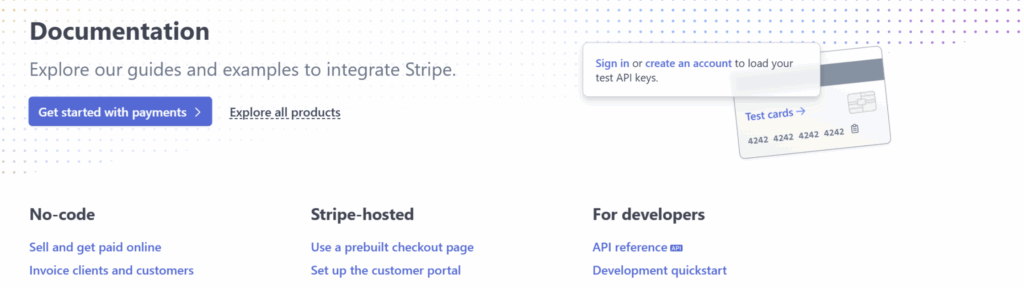
Stripe includes interactive demos, API playgrounds, and extensive developer documentation, including screencasts for nontechnical users.
B2B Tools: Asana

Specially tailored courses for admins, team leads, and team members in Asana Academy, with recommended onboarding journeys and live webinars.
EdTech: Duolingo for Schools
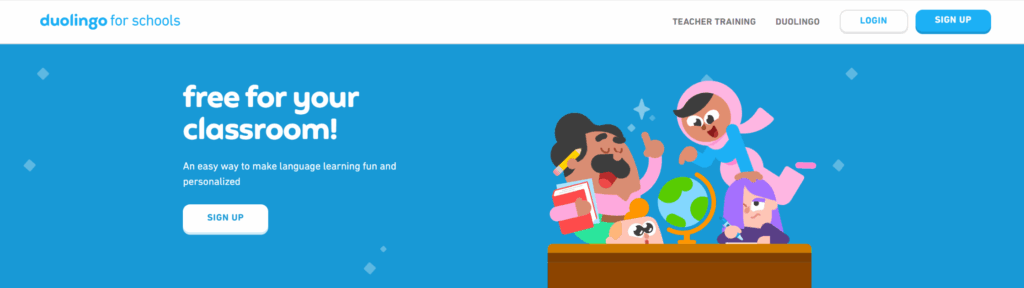
Duolingo created a specialized training path for teachers using their platform to track student progress and assign lessons.
The Role of AI in Product Knowledge Training
AI is no longer just a trend—it’s actively reshaping how product training is designed and delivered. Here’s how it’s being used in 2025:
1. AI Video Avatars
Tools like Synthesia enable companies to create video lessons using AI-generated presenters, making them ideal for quick updates or localization.
2. Automated Content Creation
AI can assist in drafting scripts, quiz questions, or converting help center articles into training modules.
3. Personalized Learning Paths
AI can analyze learner behavior and recommend the next lesson based on their actions or knowledge gaps.
4. Chat-Based Tutors
AI chatbots now offer real-time coaching during training, mimicking human interaction and support.
Source: According to Synthesia’s 2024 State of Instructional Design, over 60% of learning teams now use AI tools to accelerate course production and personalization.
Best Practices for Product Knowledge Training in 2025
Creating product training is one thing. Making it stick? That’s where the strategy comes in.
Below are the best practices organizations are using in 2025 to build product knowledge training that’s not only effective, but scalable, engaging, and designed for modern learners.
1. Design Around Use Cases, Not Just Features
Training shouldn’t feel like a product tour. Instead of walking learners through a list of features, center your modules on real-life goals and workflows.
| Instead of: | “How to use the report builder” |
| Try: | “How to generate a monthly sales report for your team” |
This approach improves retention and aligns with how people actually use your product.
2. Embed Learning in the Product Experience
In-app training provides help when users need it. By leveraging platforms like WalkMe, Pendo, or Appcues, teams can create tooltips, modals, and guided walkthroughs that are integrated within the product itself.
This is a “learning in the flow of work” model that minimizes friction, accelerates time to value, and ensures students never have to guess.
3. Tailor Content by Role or Persona
One-size-fits-all rarely works. Create targeted tracks for different audiences:
- End-users need workflow tips
- Admins need system setup guidance
- Developers need API access or integration examples
- Executives may only need usage dashboards
This ensures that everyone receives only the training relevant to their job.
4. Prioritize Mobile-Friendly, Bite-Sized Learning
Your learners are busy, and many are remote. Content that’s mobile-friendly and short-form performs better in today’s fragmented attention economy.
Break content into 3–5 minute chunks. Use responsive formats that work well on phones and tablets. A knowledge nugget delivered just-in-time is more effective than an hour-long video buried in a portal.
5. Use Micro-Assessments to Boost Retention
Mini quizzes, drag-and-drop exercises, and interactive scenarios improve knowledge retention. These also give you performance data to improve future iterations of your training.
Try incorporating:
- Knowledge checks after each lesson
- Scenario-based branching to simulate decision-making
- Certifications for advanced learners
6. Leverage AI for Personalization
AI tools now make it possible to tailor the learning journey to the individual:
- Recommend content based on product usage
- Adapt the pace and content sequence based on learner behavior
- Summarize long content into digestible key points
- Translate or localize content with accuracy
This increases engagement and ensures relevance.
7. Update Content Frequently and Transparently
Your product evolves—so must your training. Create a process where training materials are reviewed and updated with each product sprint or quarterly roadmap release.
Notify users when content is updated and clearly label “last updated” dates on modules.
8. Measure What Matters
Don’t stop at course completions. Look deeper into:
- Engagement time per module
- Quiz and assessment scores
- Search queries in your help center
- Support ticket reduction rates
Use this data to refine, expand, or sunset training elements over time.
Pro Tip
These best practices aren’t just for big enterprises. Startups and scale-ups benefit even more because good training reduces onboarding load, improves customer satisfaction, and helps lean teams scale without burning out.
Building Your Product Training: A Step-by-Step Framework
If you’re starting from scratch or improving what you already have, follow this proven process:
Step 1: Define Your Audience
Are you training internal teams? External customers? Partners? Different audiences need different content.
Step 2: Audit Existing Resources
You may already have tutorials, webinars, or FAQs. See what can be repurposed.
Step 3: Prioritize Topics by Impact
Use product usage data or support tickets to find common friction points.
Step 4: Choose the Right Format
Decide whether each topic is best taught via video, live webinar, article, or interactive module.
Step 5: Storyboard or Script
Outline each module or video. Include examples, visuals, and checkpoints.
Step 6: Build and Test
Create your materials using eLearning tools (e.g., Articulate, Canva, or AI platforms) and get feedback from internal testers.
Step 7: Launch and Track
Deploy via an LMS or directly in-product. Monitor completion rates and iterate based on learner behavior to optimize learning outcomes.
What to Avoid in Product Training (Common Pitfalls)
- Overloading with Features: Just because a feature exists doesn’t mean users need to learn it on Day One.
- One-and-Done Training: Learning should be continuous, not a single event.
- Ignoring Feedback: User insights can guide your next version.
- Generic Content: Tailor training to actual use cases and user goals.
- Outdated Material: Keep it fresh, especially when your product updates frequently.
Start Where You Are, Scale As You Go
Product knowledge training does not need to be fancy to be effective—it just needs to be effective: in other words, practical, accessible, and updated frequently. Whether you’re onboarding new customers, empowering your support team, or launching an academy for partners, your product is an integral part of your learning experience.
In 2025, the most effective training programs don’t overburden users — they enable them.
Ready to Design Better Product Training?
No need to reinvent the wheel—just partner with someone who knows how to transform complexity into simplicity. At SkildLabs, we empower companies to launch easily scalable and high-impact product training that works.